Help / Reference
Settings reference: every tab and control
Settings is the last stop on the navigation rail, and opens as a full page split into eight tabs. Nothing here decides whether your music plays: your library plays in full on every tier.
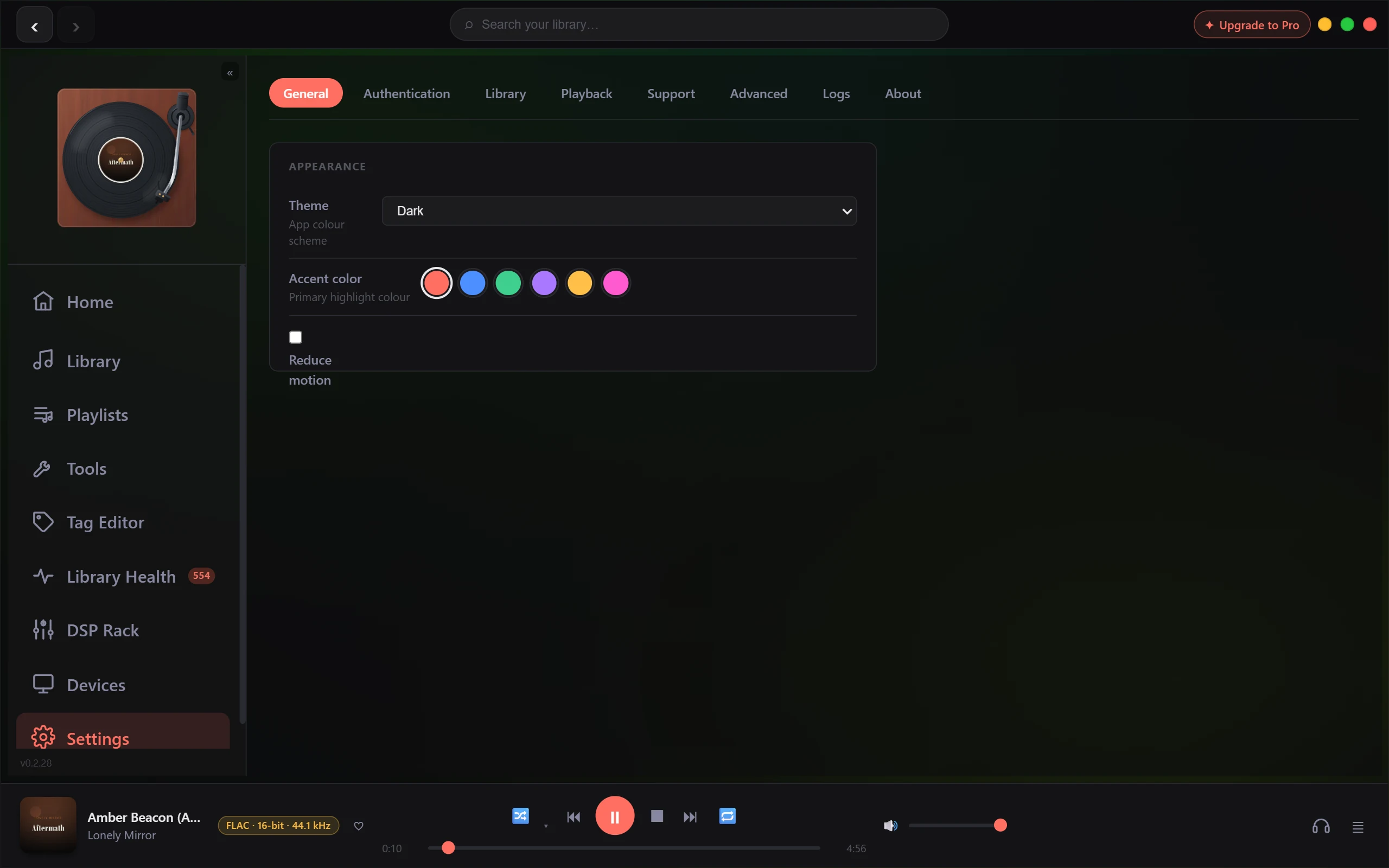
General
Appearance only, stored on this PC rather than with your library. Theme is Dark, OLED Black or Light, and starts on Dark. Accent color offers six swatches (Coral, Blue, Green, Violet, Gold, Magenta) and starts on Coral. Reduce motion cuts the app's animation back, and is off.
Authentication
Three optional keys, all free, all blank until you paste one in. Saved Discogs and Last.fm keys carry an Active badge; the AcoustID row has none.
| Control | What it does |
|---|---|
| AcoustID Application Key | Fingerprint lookups during Super-Tag. |
| Discogs Token | Genres, styles, label and catalogue number in the Tag Editor's Discogs lookup. |
| Last.fm API Key | Biographies and similar-artist suggestions for OpenSubsonic clients. |
Library
Two blocks, both marked experimental, both empty until you fill them.
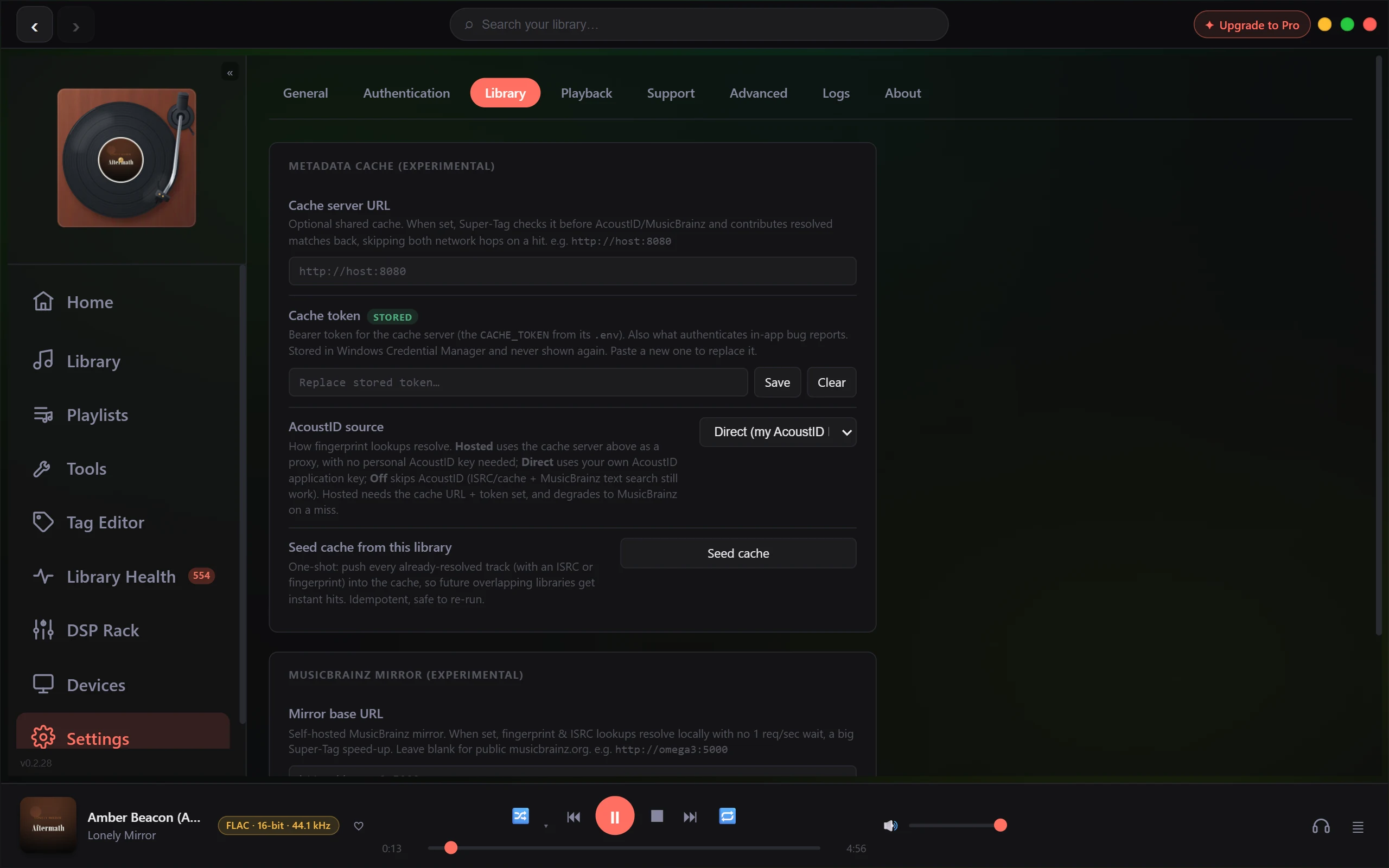
| Control | What it does | Default |
|---|---|---|
| Cache server URL | A shared metadata cache. Super-Tag checks it before AcoustID and MusicBrainz. | Empty |
| Cache token | Bearer token for that server. Write-only: it goes to Windows Credential Manager and is never shown back, so its badge reads Stored. | Empty |
| AcoustID source | Direct uses your own key, Hosted proxies through the cache server, Off skips fingerprinting (ISRC, cache and MusicBrainz text lookups still run). | Direct |
| Seed cache from this library | Pushes already-resolved tracks into the cache once. Needs a URL and a token. | Button |
| Mirror base URL | A self-hosted MusicBrainz mirror, skipping the public one-request-per-second wait. | Empty |
| Mirror has search index (Solr built) | Sends text search to the mirror too. Greyed out until a mirror URL is set. | Off |
Clear on the token confirms first: the cache stops being used, and on builds without their own reporting transport, in-app bug reports fall back to this token.
Playback
Three blocks: Playback, Audio Output, Parametric EQ.
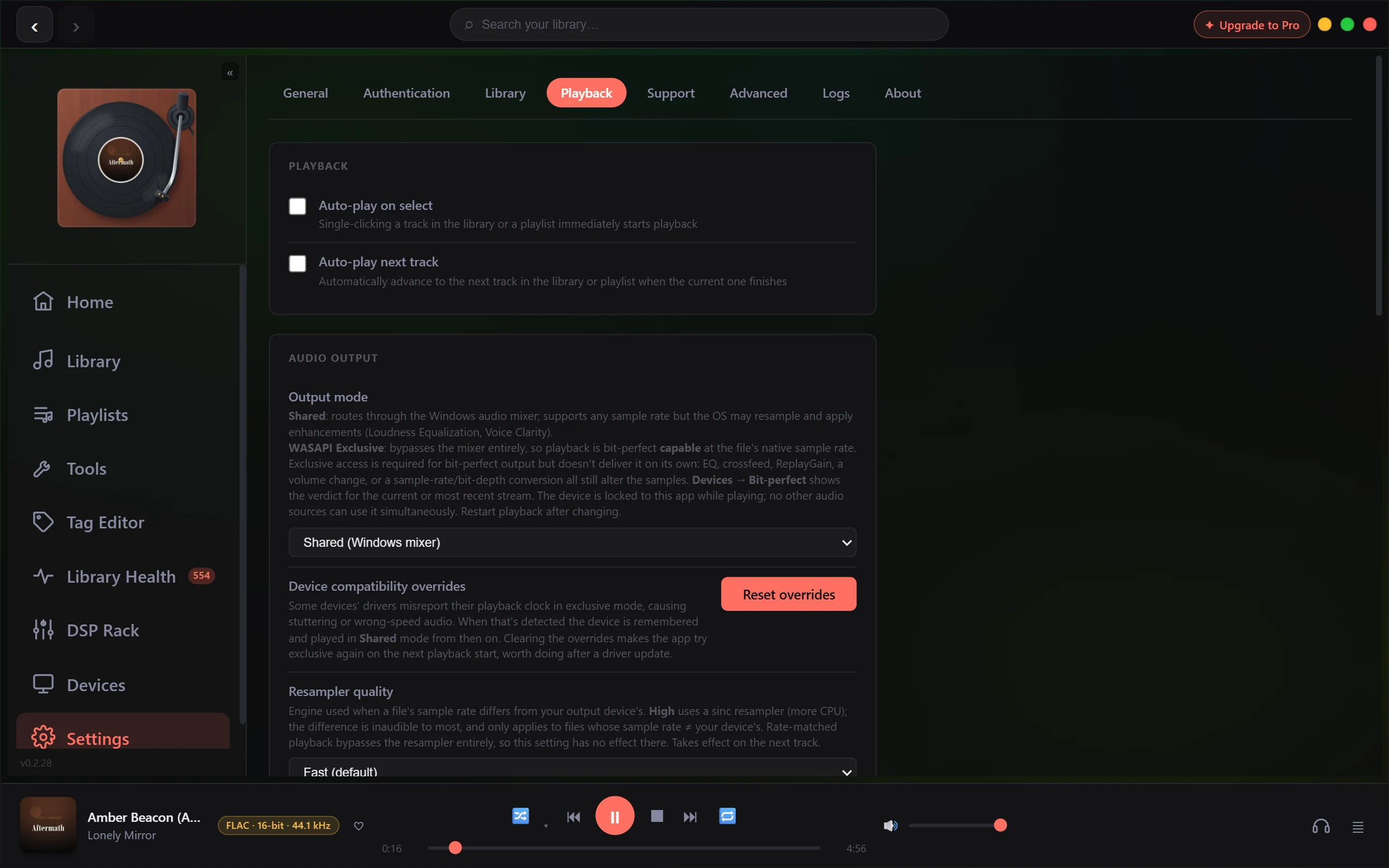
| Control | What it does | Default |
|---|---|---|
| Auto-play on select | A single click on a track starts it. | Off |
| Auto-play next track | Advance automatically when a track ends. | Off |
| Output mode | Shared (Windows mixer) routes through the Windows audio engine. WASAPI Exclusive (bit-perfect capable) takes sole use of the device at the file's native rate, and is a Lifetime feature. The third entry is greyed out, reading ASIO (not available in this build). | Shared |
| Device compatibility overrides | Reset overrides clears devices the engine demoted to Shared after catching their driver misreport its clock. Exclusive is retried on the next playback start. | None |
| Resampler quality | Fast, or High (sinc, more CPU). Only for files whose rate differs from the device's. | Fast |
| ReplayGain | Off, Track gain or Album gain, read from tags already in your files. | Off |
| Auto-calculate ReplayGain | Analyses untagged tracks after a scan and writes the tags into your files. | Off |
| Allow concurrent scans | Lets heavy background jobs run together instead of queueing. Sits in the Audio Output block but governs jobs, not sound. | Off |
| Bit-Perfect mode | Asks the engine to bypass EQ, crossfeed and ReplayGain and hold volume at unity. A Lifetime feature. | Off |
| Crossfeed | Off, Gentle, Moderate or Strong headphone crossfeed. | Off |
| Parametric equaliser | Up to 32 biquad bands, applied without interrupting playback. | No bands |
Switch Bit-Perfect mode on and the ReplayGain and Crossfeed pickers are disabled, the EQ panel goes inert, and all three are tagged Bypassed. Your settings are kept and resume when you switch it off. The verdict on the audio lives elsewhere: a read-only Bit-perfect row on the Devices page reports what the engine measured for the current or most recent stream.
Volume ducking during vocals is a note rather than a control, explaining how to switch off the Windows audio enhancements behind it.
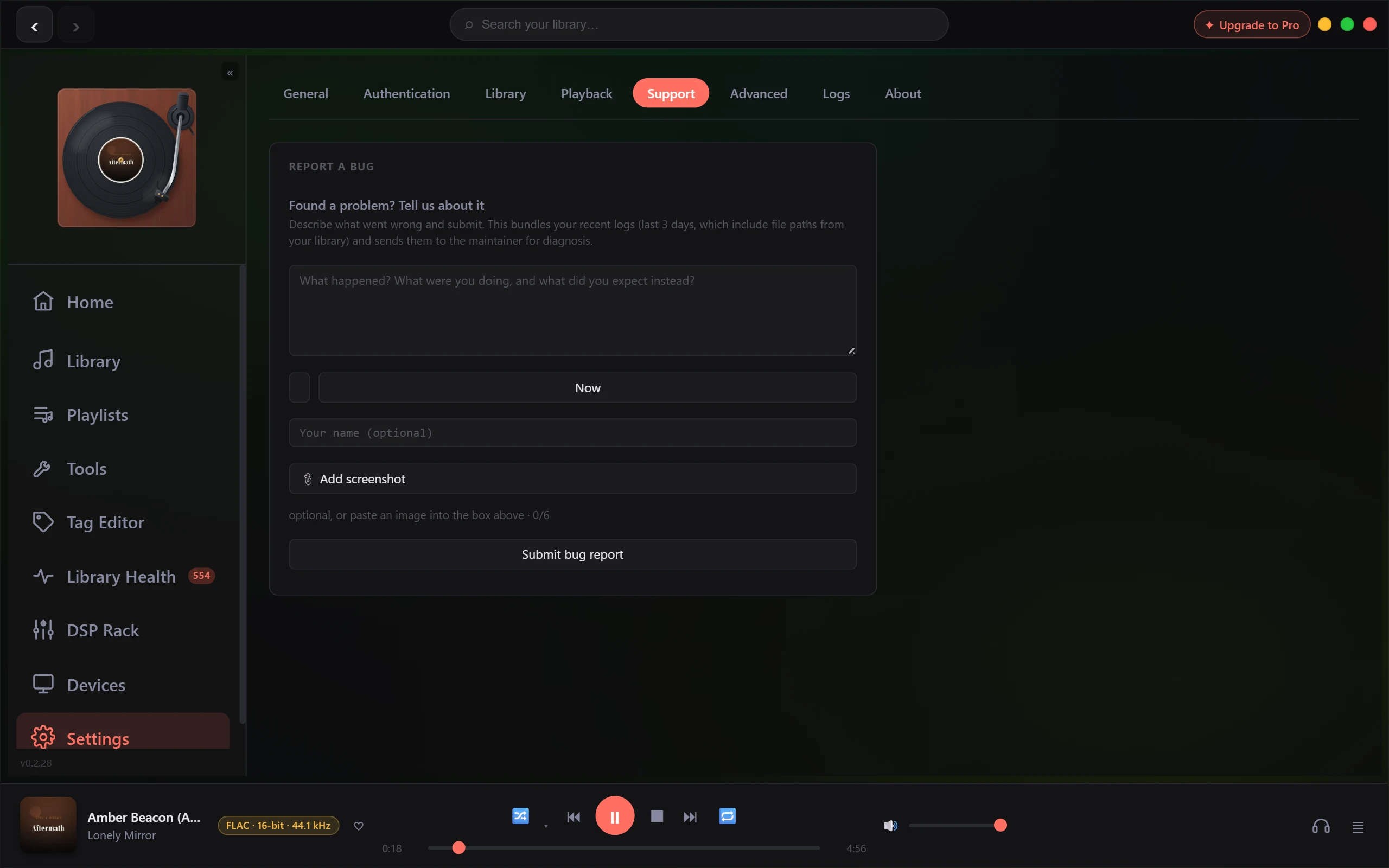
Support
One form, Report a Bug. Describe what went wrong, optionally add when it happened and your name, and attach up to six screenshots by browsing or pasting into the box. Submitting bundles your last three days of logs, which include file paths from your library. If a control misbehaves, name the tab and the control. See Is this a bug? How to report it.
Advanced
Remote Access is the master switch for the remote API and the OpenSubsonic server on port 4242. Developer holds one reset.
| Control | What it does | Default |
|---|---|---|
| Enable remote access | Nothing listens on the network until this is on. Takes effect at the next launch. | Off |
| API Bearer Token | Authenticates a remote client. Copy puts it on the clipboard. | Generated |
| OpenSubsonic Password | Username is admin, server https://<your-ip>:4242. Regenerate rotates it and needs a restart. |
Generated |
| Reset Tag Data | Clears MusicBrainz IDs and tag provenance so Super-Tag can start clean. One button keeps fingerprints, the other wipes them. Both confirm first and cannot be undone. | Button |
Logs
The live application log. Filter by level (All, Info, Warn, Error), narrow to Audio, Library or Meta, or search. Logs opens the folder the files live in; Clear empties the on-screen list.
About
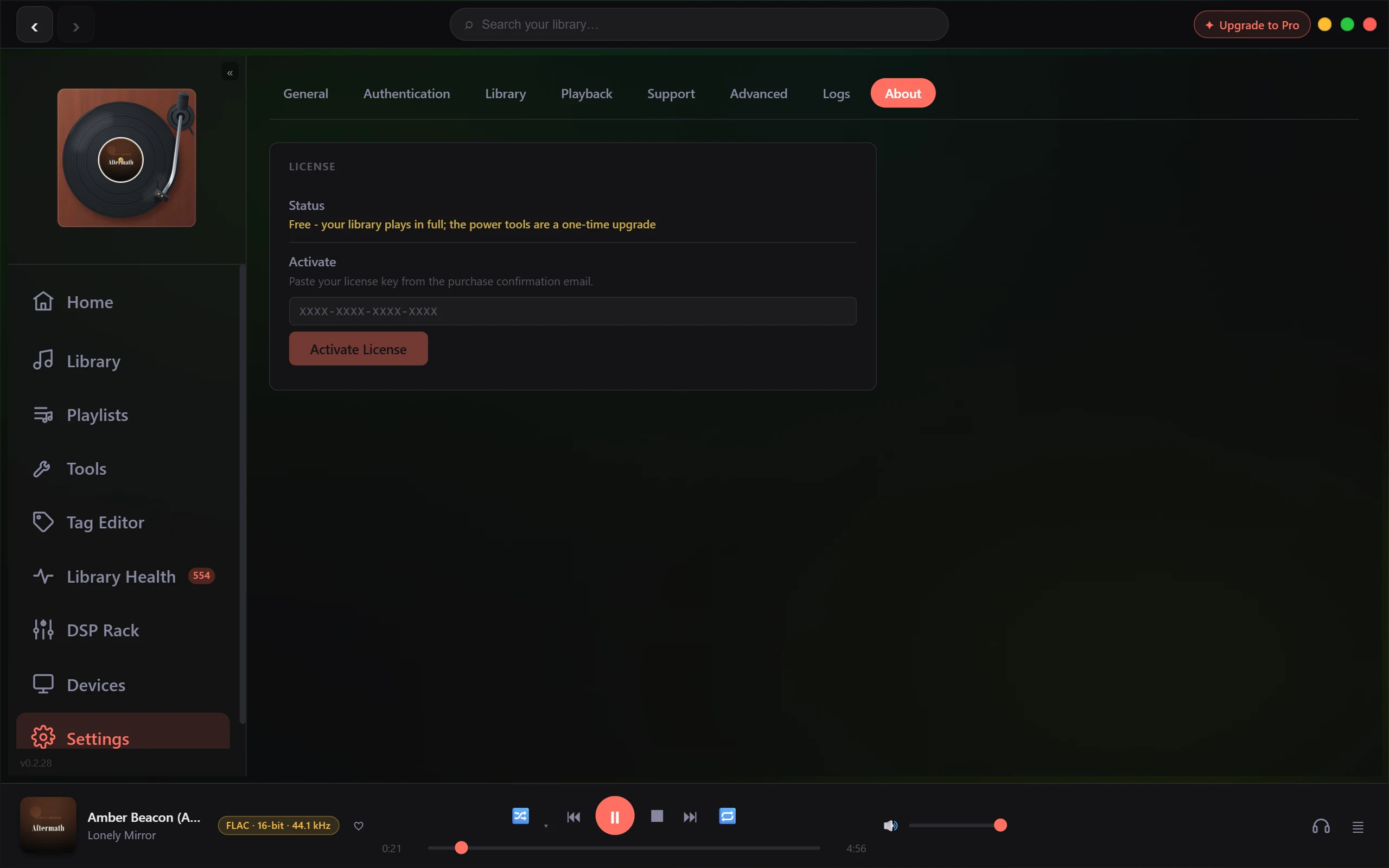
Your licence, and nothing else. Status names the state: active with its tier, trial with days remaining, or Free. When it is not active, an Activate box takes your key and Activate License applies it. When it is, Deactivate removes it from this PC. The version number is not here; it sits below Settings at the bottom of the navigation rail.
Related: Known limitations and what is coming - Choosing an output mode: Shared, Exclusive & ASIO.