Help / Playback & output
Shuffle, shuffle by album or artist, and repeat
Vesari Stylus has two kinds of shuffle. One picks a random track each time the music moves on. The other builds a scrambled running order up front, and can keep albums and artists in one piece while doing it. Repeat is a separate control with three settings.
The two shuffle buttons
At the left of the transport in the bottom bar sit two controls. The shuffle button turns random shuffle on and off, and takes on the accent colour while it is on. The small chevron beside it opens the Shuffle window, which is where the album, artist, genre, playlist and recently-played shuffles live.
Plain shuffle: a random next track
With the shuffle button on, each time playback moves on Vesari picks a track at random from the queue it is playing rather than the next one in line. When that queue holds more than one track it will not pick the track already playing, and it never runs out of road: random shuffle wraps around, so it carries on past what would otherwise be the end of the album or playlist.
One side effect is worth knowing: because the following track is not decided until the current one finishes, random shuffle switches off the seamless hand-off. See Gapless, ReplayGain & CUE sheets.
The Shuffle window
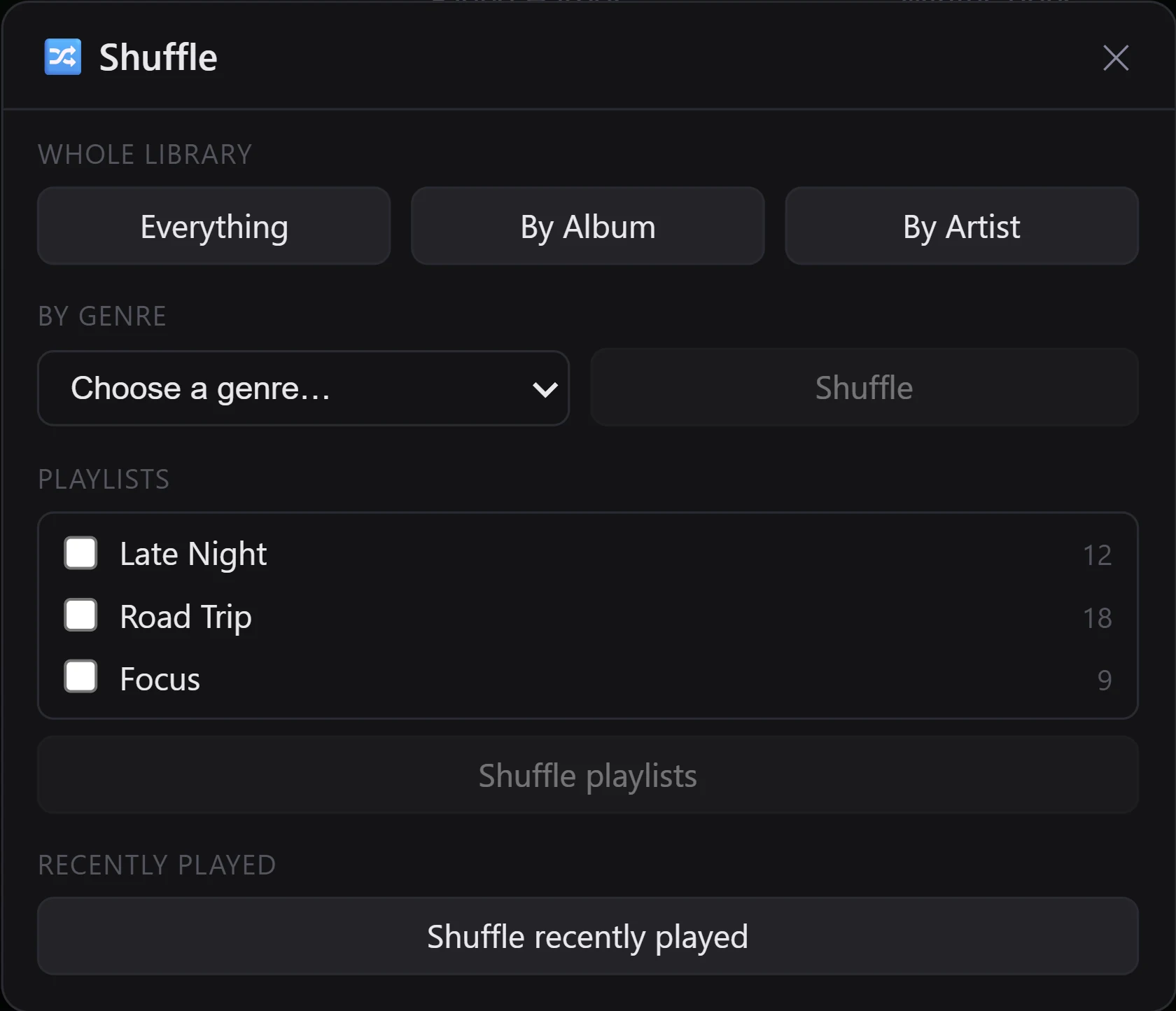
The chevron opens a window with four ways to build a shuffle:
- Whole library offers Everything, By Album and By Artist.
- By genre takes a genre from the dropdown and shuffles the tracks tagged with it.
- Playlists lists your playlists with tick boxes. Tick several and they shuffle together, a track that appears in two of them included only once.
- Recently played draws on your play history, again counting each track only once.
By Album shuffles at the album level: whole albums land in random order, and the tracks inside each album stay in disc and track order, so a record plays front to back. Albums are grouped on album artist and album title together, so a compilation credited to one album artist stays a single album rather than scattering across the run.
By Artist does the same thing one level up: artists arrive in random order, and each artist's tracks are grouped album by album, in album order, before the next artist begins.
Everything, genre, playlist and recently-played shuffles all mix at the track level.
Damaged files are left out of every one of these pools. The whole-library and by-genre shuffles also skip copies the library has flagged as duplicates. The playlist and recently-played shuffles do not read that flag; they only make sure the same file is not queued twice, so two copies of one recording at different paths can both turn up. See Library Health & finding duplicates.
Turning a Shuffle window run back off
A shuffle built this way is a fixed running order rather than a coin flip on every track, so the queue, next, previous and the seamless hand-off all behave normally inside it.
Because the order really was scrambled, the shuffle button stays lit while that run plays, and clicking it does something real: Vesari puts the tracks back into the order they came in, without interrupting what is playing. The track you are hearing carries on, and what follows picks up from where that track sits in the restored order.
Two edge cases. If the current track is not part of that stored order, because you have since started playing something from elsewhere, the button still turns shuffle off but leaves the queue alone rather than guessing where to put you. And starting a fresh album, playlist or track forgets the stored order altogether, at which point the button goes back to off.
The Rediscover shelves on Home have their own shuffle buttons, and they work the same way. See Rediscovery - surface music you forgot.
Repeat: off, all, one
The repeat button cycles through three settings in order: off, then all, then one, then off again. Hovering it names the setting you are on, and the icon swaps to the repeat-one glyph on one.
- all returns to the top of the queue when it reaches the end.
- one replays the current track when it finishes, and keeps doing so. Since the next track is the same track, this also suspends the seamless hand-off.
- off lets playback stop when the queue runs out.
Choosing a repeat mode is itself a request for the music to keep going, so with all or one set playback continues even when Auto-play next track is switched off in Settings, on the Playback tab. See Every setting, explained.
Up Next overrides both
Anything you have put into Up Next by hand plays before either mode gets a say. Shuffle and repeat-one stand aside until that list empties, then pick up again. See The play queue & "Up Next".
A couple of last notes
Neither shuffle nor repeat is remembered between sessions. Both start off every time you open the app, whatever you left them on.
And in every mode, a track Vesari cannot play, whether flagged as damaged or on an offline drive, is stepped over as the queue advances. If nothing in a queue can play, playback stops rather than looping over files that will not sound.