Help / Playback & output
ReplayGain: what it does and how to use it
Some records are mastered loud and some quiet, so a mixed playlist can swing wildly in level. ReplayGain evens that out by turning each track up or down by a fixed amount as it plays. It is off by default, and it changes level only.
What it actually does
ReplayGain is a single number, in decibels, stored in a track's tags. Switch it on and Vesari Stylus reads that number as the track loads, then applies it as one steady level change for the whole track.
That is the entire effect: no compression, no limiting, nothing that reshapes the sound. Your files are not altered, and switching back to off returns the original level.
Switching it on
Open Settings, go to the Playback tab, and find ReplayGain in the Audio Output group. Three choices:
- Off (no gain applied), the default
- Track gain
- Album gain
A change takes effect from the next track, or as soon as you seek inside the one playing now. It never jumps the level under a track in progress.
Track gain versus album gain
Track gain levels every track on its own, so a quiet ballad and a loud single arrive at the same place. Best for shuffle and for playlists drawn from many records.
Album gain works out one adjustment for a whole album and applies it to every track, so the quiet one stays quieter than the loud one, exactly as the record was mastered. Best for playing an album end to end.
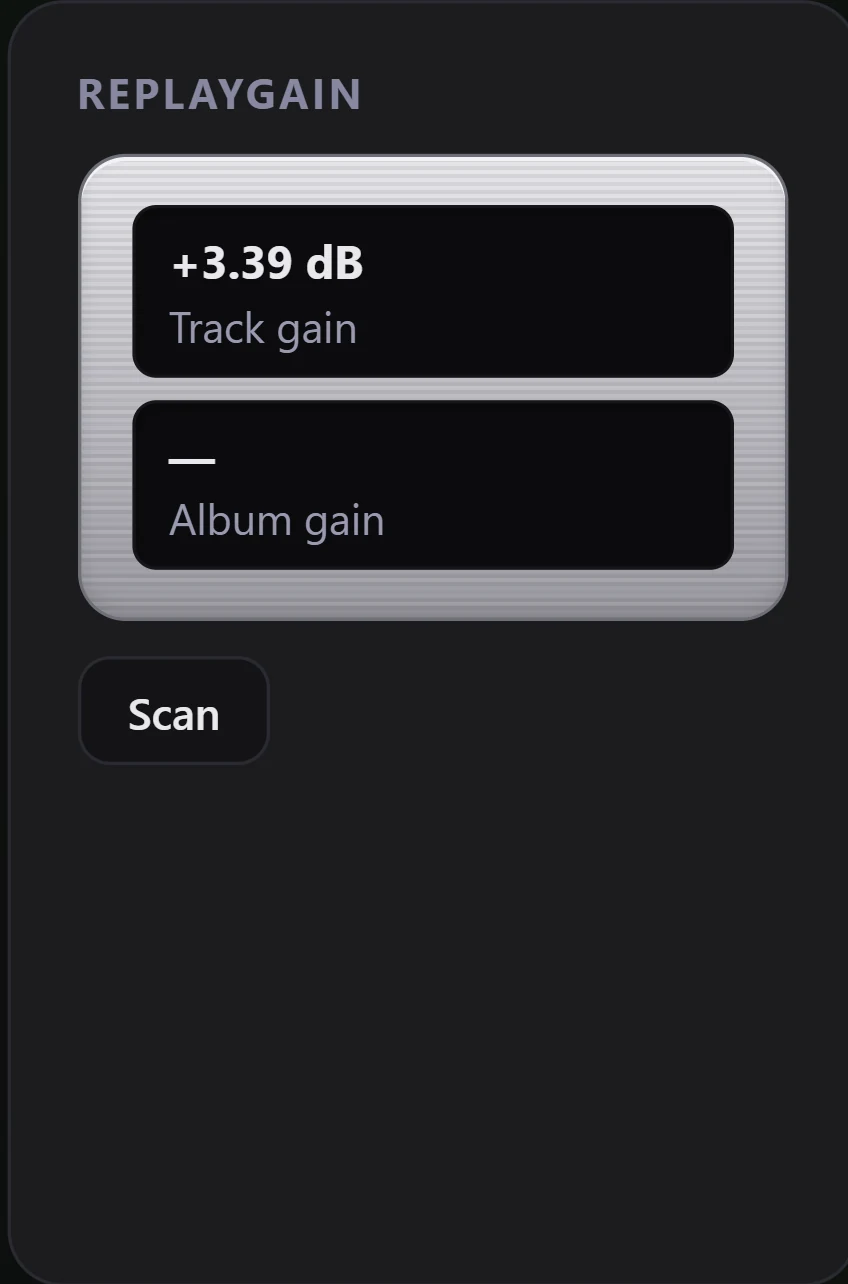
They are separate tags. Choose album gain and play a file carrying only a track gain, and no gain is applied. The ReplayGain panel in DSP Rack shows why: Album gain reads as a dash, and the track figure is not borrowed to stand in for it.
Where the numbers come from
Files that have been through a levelling tool carry REPLAYGAIN_TRACK_GAIN, and often REPLAYGAIN_ALBUM_GAIN too, and those are read first. Opus files, and a handful of others, carry R128 tags instead. Those are read as a fallback and shifted up by 5 dB on the way in, because the R128 reference level sits 5 dB below the ReplayGain one. Open DSP Rack while something plays. The ReplayGain panel shows the Track gain and Album gain held for that track, though not whether a figure came from a ReplayGain tag or an R128 one.
When a file also carries a peak tag, the gain is trimmed rather than pushing the loudest sample past full scale, so the applied figure can be smaller than the tagged one. That is clipping protection working, not a misread.
Measuring your own files
Three places run the scan.
- DSP Rack, in the ReplayGain panel. Scan measures the track playing now and refreshes its Track gain readout.
- Library Health, in the No ReplayGain category. Scan RG works through the whole list.
- Settings, Auto-calculate ReplayGain. A background pass over whatever is still unmeasured after a full library refresh. It does not run off the watch folders, so files that arrive on their own wait for the next refresh or a Scan RG. It is album aware, so it is the only one of the three that writes album gain as well as track gain, and it is off by default because it writes tags into your files.
The measurement decodes each file in full and takes an integrated loudness reading against -18 LUFS, the usual ReplayGain reference, then writes the track gain and peak into the file. A few formats have no writable tag container, so their figures live in your library database and playback reads them from there.
Tracks from a CUE sheet are skipped: measuring one section of a single long file is not supported, so they are left unmeasured rather than given a wrong figure.
The free allowance
Playing with ReplayGain switched on costs nothing, on every tier. The scanner is the metered part: 100 tracks on Free, 1,000 during the trial, and no cap at all on Pro or Lifetime.
You are charged per track the scan takes on. Point one at more tracks than your allowance covers and it measures what the budget reaches and reports the remainder, rather than refusing the lot. In album mode the allowance is never split across an album, since half a measured album earns a wrong album gain. Stop a scan part way and you pay only for what it measured. See What the free allowance covers, and how it is counted.
When no gain is applied
Bit-Perfect mode forces the whole processing chain neutral, ReplayGain included. While it is on, the ReplayGain panel in DSP Rack is tagged as bypassed and its readout dims, and no gain is applied. The setting greys out, your choice is kept, and it resumes the moment you turn the mode off. Scanning still works: writing tags is a separate job the mode does not touch. See Bit-Perfect mode.
A track with no matching tag also plays untouched, so that is the first thing to check when one album still stands out. Run the scan on it and see whether a figure appears. If none does, check Library Health under ReplayGain unsupported: files that came back silent, too short, or with nowhere to write are parked there, and Re-scan retries them.
If levels still look wrong, use Report a Bug and name the track and the mode. Is this a bug? How to report it explains what that sends.