Help / Your library
Every Library Health category, explained
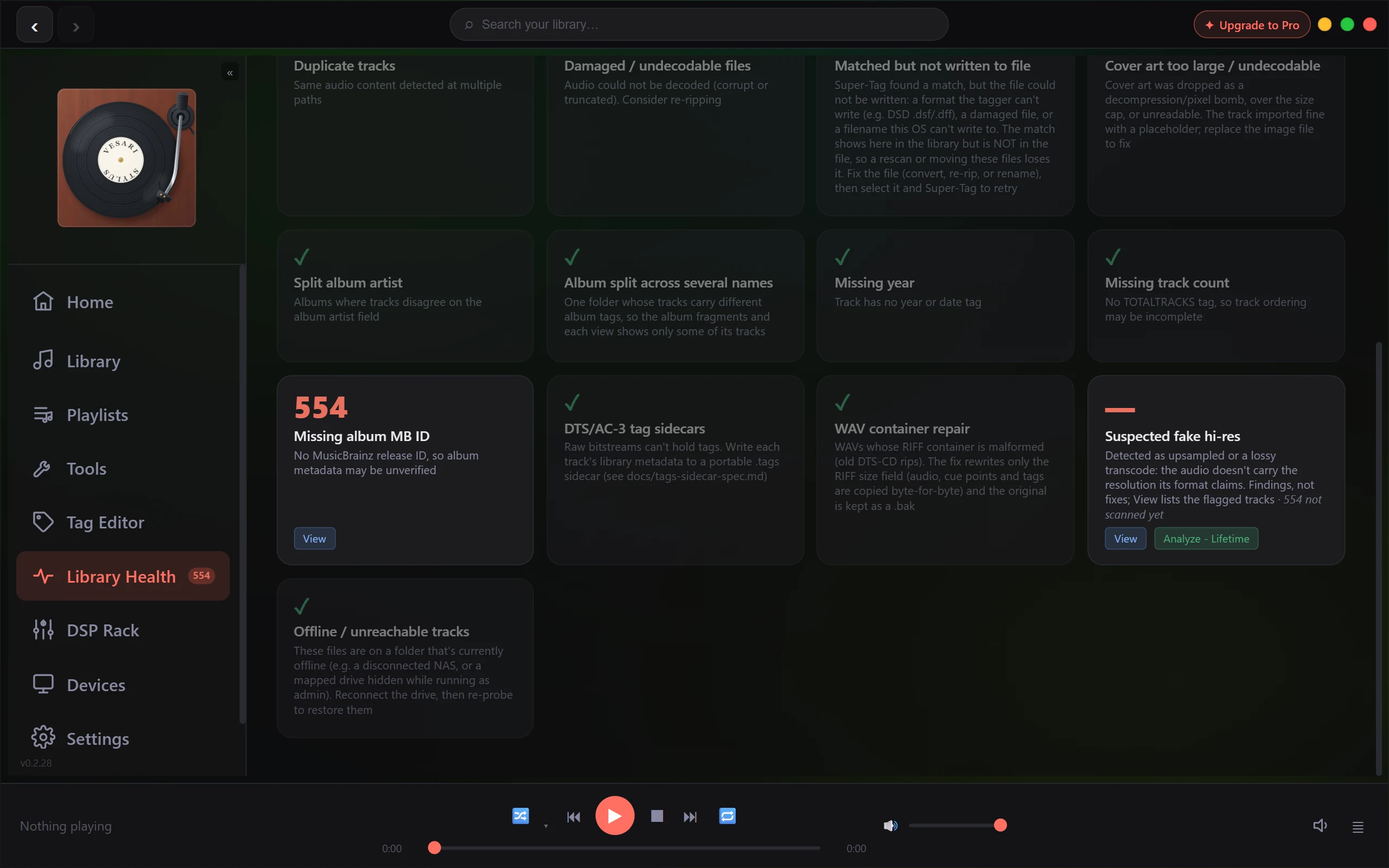
Library Health tallies every track in your library and sorts what it finds into twenty-one cards. Open it from Library Health in the sidebar: the header shows ✓ Clean or N tracks need attention over the number of tracks scanned, and every card that is not clean gets a View button that filters the library to exactly the tracks it counted.
Free below means it costs nothing on any tier; metered means it spends one of the allowances in What the free allowance covers, and how it is counted. The tally and every View are free.
The badge counts tracks, not problems
The badge counts distinct tracks with at least one issue you can act on, however many cards each one trips. A single untagged track lands in seven of the ten actionable cards at once, which is why the number is not a sum: adding the cards up is how an early build told a 10,000 track library it had over 90,000 problems.
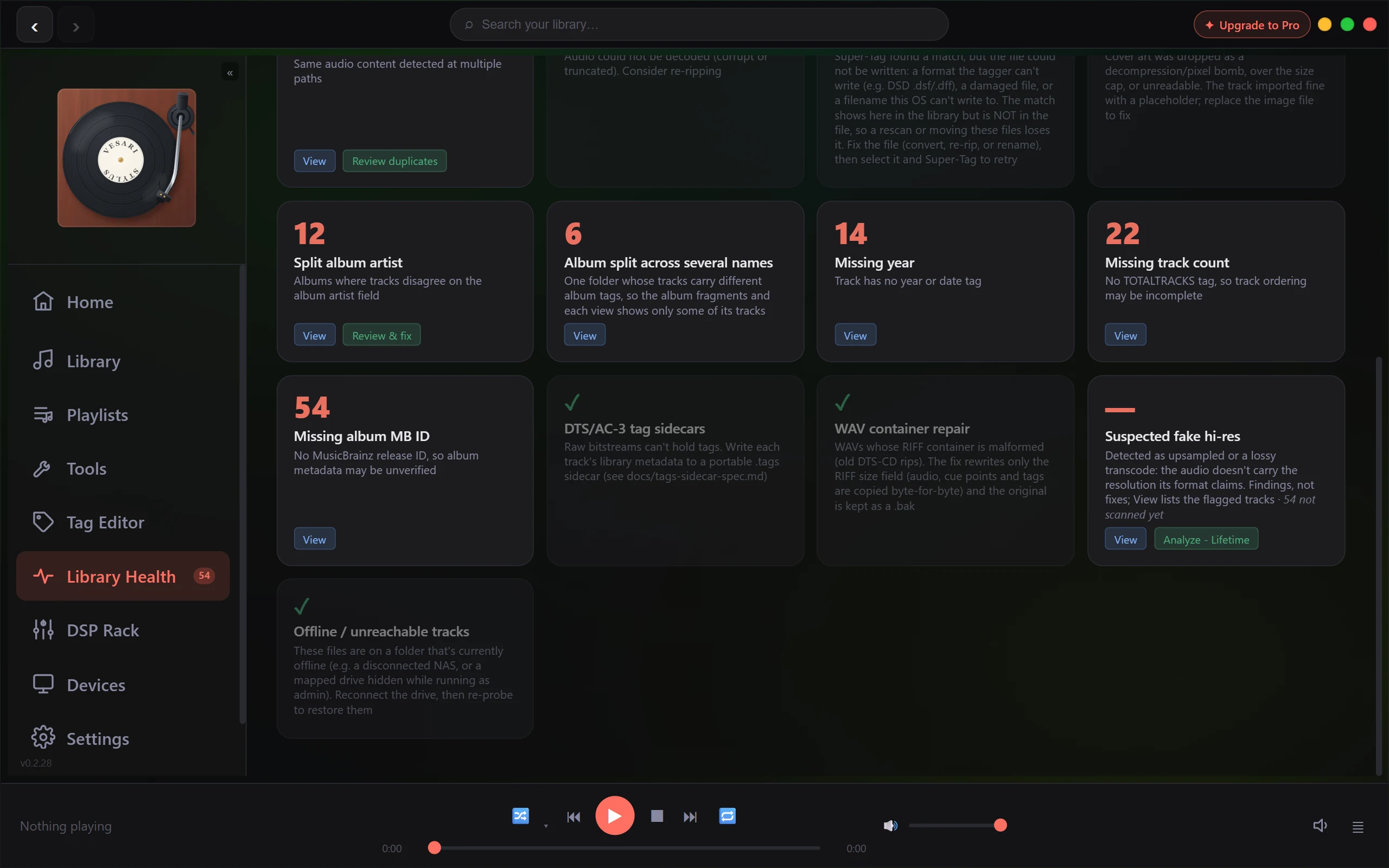
Eleven cards sit outside the badge, for different reasons. Some are findings rather than chores, like a fake hi-res verdict; some have a remedy that is not tag editing, like reconnecting a drive; and Album split across several names matched over half of a real test library. All eleven stay visible.
Cards that count toward the badge
| Card | What it measures | Acting on it |
|---|---|---|
| Unmatched tracks | No MusicBrainz recording ID, so details may be wrong | Super-Tag, on Tools. Metered |
| Missing artwork | No cover file in the folder, none embedded either | Search art, or Online. Free |
| No ReplayGain | No track gain tag. CUE tracks are excluded | Scan RG. Metered |
| Missing lyrics | No lyrics, and none looked for yet | Fetch lyrics, from LRCLIB. Free |
| Duplicate tracks | The same audio at two or more paths, with a copy worth keeping | Review duplicates. Reviewing is free, the quarantine move is not |
| Damaged / undecodable files | Audio that would not decode, corrupt or truncated | Nothing to press. Replace or re-rip it |
| Split album artist | One release whose tracks disagree on album artist | Review & fix. Metered |
| Missing year | No year or date tag | Tag Editor. A multi-track save is metered |
| Missing track count | No total-tracks tag, so ordering may look incomplete | Tag Editor, as above |
| Missing album MB ID | No MusicBrainz release ID for the album | Super-Tag. Metered |
Cards that are there to tell you something
| Card | What it measures | Acting on it |
|---|---|---|
| ReplayGain unsupported | Silent, too short, or nowhere to write the tag, so it is skipped | Re-scan, worth a try after installing FFmpeg |
| Lyrics → save as .lrc | Has lyrics, but no .lrc beside the audio | Save .lrc. Free |
| Get timed lyrics | Plain lyrics, or an earlier miss, but no timed version | Get timed lyrics re-checks LRCLIB. Free |
| Lyrics fetch errors (retry) | LRCLIB was unreachable, so these are held out of Missing lyrics | Retry errored, once your connection is healthy |
| Matched but not written to file | The match is in your library, but the file write failed: DSD .dsf and .dff, a damaged file, an unwritable name | Convert, re-rip or rename it, then Super-Tag again |
| Cover art too large / undecodable | The image was unreadable or over the size cap and was dropped. The track imported fine | Replace the image file |
| Album split across several names | One folder whose tracks carry different album tags | Tag Editor |
| DTS/AC-3 tag sidecars | Raw bitstreams cannot hold tags at all | Write .tags writes a sidecar beside each. Free |
| WAV container repair | A malformed RIFF container, typically an old DTS-CD rip | Scan & repair patches the size field only and keeps a .bak. Free |
| Suspected fake hi-res | Upsampled, or a lossy transcode in a lossless wrapper | Analyze library, or Check everything for standard rates. A Lifetime feature |
| Offline / unreachable tracks | On a folder not reachable right now, such as a disconnected NAS | Reconnect the drive, then Reconnect & re-probe. Free |
Some have their own article: Cover art, Lyrics, Quality Analysis, Quarantine, Music on a NAS and An album shows twice.
A count of zero is not always a clean bill
Two cards cannot judge a file without opening it, so instead of a tick they show a placeholder and how many are not scanned yet: Suspected fake hi-res until Quality Analysis has run, WAV container repair until your WAVs have been probed. A tick drawn from a sample of nothing would be a false all-clear, so both keep their buttons.
Why a fresh library lights up everywhere
Music that has never been through a tagger sets several cards reading in the thousands on the first pass. That is what an untouched library looks like, not one problem counted five times. A file with no MusicBrainz IDs really has none, so Unmatched tracks and Missing album MB ID both count it, and if nothing has measured its loudness, so does No ReplayGain. The badge counts each such track once, so read the cards as a menu rather than a bill.
If a count looks impossible, or View lists a different set than the number claimed, use Report a Bug in Settings and name the card. Is this a bug? How to report it explains what that sends, and Library Health & finding duplicates covers the duplicate review itself.