Help / Getting started
Themes, accent colours and reduced motion
Vesari Stylus ships three themes, six accent colours and a switch that takes the animation out of the interface. They sit together in one place, they take effect the moment you choose them, and none of them depends on your licence.
Where the controls are
Click Settings in the left-hand navigation. It opens on the General tab, and everything on that tab sits in a single group headed Appearance, with three rows: Theme, Accent color and Reduce motion.
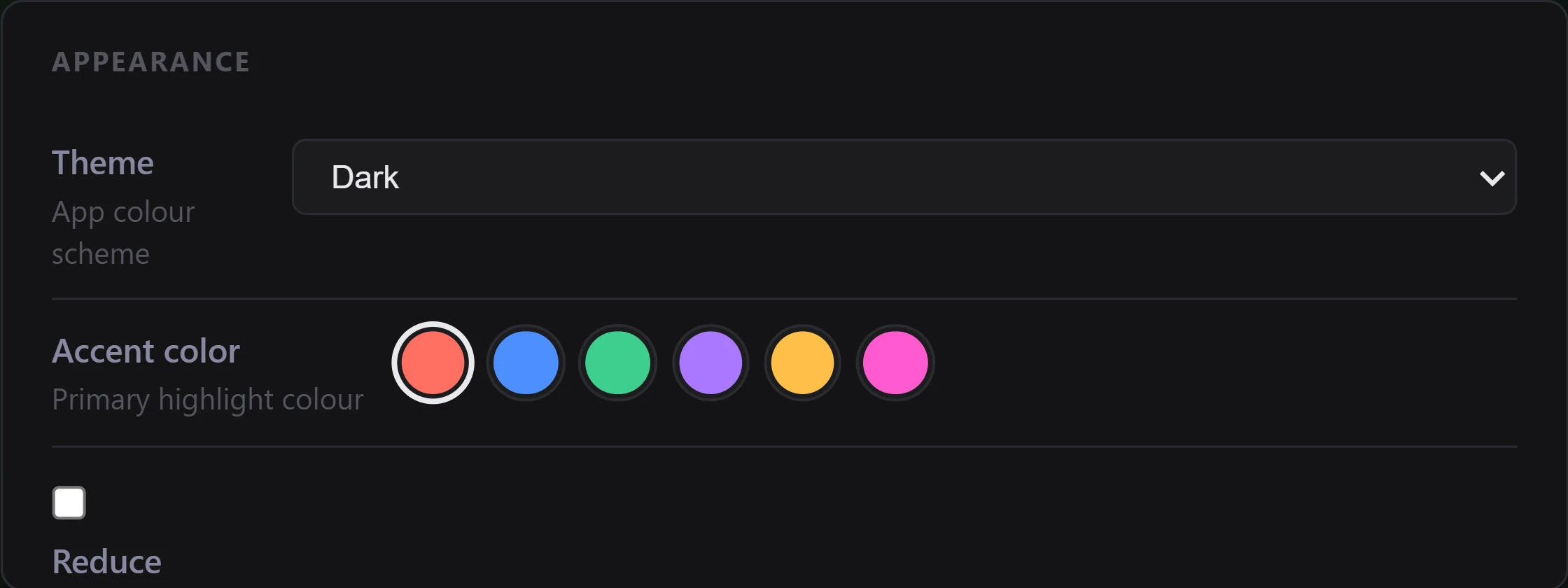
The three themes
Theme is a dropdown with three entries.
- Dark is the default: near-black surfaces with a soft ambient backdrop behind the panes.
- OLED Black takes the base background to pure black and darkens the panels sitting on it, which is what an OLED screen wants, because a black pixel there is an unlit pixel. The ambient backdrop is dimmed to match.
- Light turns the app over to pale surfaces with dark text and switches the ambient backdrop off completely, since a dark image has no business on a light canvas. The status colours used for issue counts, badges and state dots are darkened at the same time, so they stay readable on white rather than washing out.
Two things deliberately do not follow the theme. The retro VU and PPM meter faces keep their aged cream colouring in all three, because they are drawn as physical meters rather than as part of the interface. The turntable mark at the top of the sidebar keeps its own colours too, on the principle that a brand mark should not shift with the theme.
Accent colours
Accent color is a row of six swatches. Hover one to read its name: Coral, which is the default, then Blue, Green, Violet, Gold and Magenta. Click a swatch and the app repaints straight away.
The accent is the app's highlight colour, so you see it in a lot of small places at once: the active item in the left-hand navigation and the tinted panel behind it, a favourited heart, selected pills and buttons.
Where the accent is used as a solid fill, the app also picks the ink that sits on top of it. A label on the paler Gold and Green fills switches to near-black instead of staying white and disappearing.
There is no custom colour picker. The six presets are the whole set.
Reduce motion
Reduce motion is a checkbox, and it does what it says. With it ticked, animation and transition times across the interface collapse to effectively nothing, and scrolling jumps rather than glides. The record at the top of the sidebar stops spinning, stops flipping over when the track changes, and its tonearm jumps to each new position instead of gliding there. The record on the loading screen holds still as well. Nothing is hidden and no feature is removed. Things arrive rather than travel.
Two things are worth knowing about the edges of it. Displays that are redrawn frame by frame, such as the needle meters, are not interface animation and carry on moving. And parts of the app already follow Windows' own animation preference without being asked: if you have told Windows to reduce animation, the loading record holds still whatever this checkbox says. The checkbox is the in-app switch that goes further and covers the rest of the interface, and it is useful if you would rather leave the Windows setting alone.
Where your choices are kept
Your theme, accent and motion choices are held locally by the app, on the machine you set them on, separately from the settings file that holds your library and playback preferences. They are applied before the app paints for the first time, so it opens looking the way you left it rather than flashing the default at you first.
All three take seconds to set again on a fresh install, so they are not worth hunting for in a backup. Where Vesari Stylus keeps your files and settings covers what the app does store, and where.
If a choice does not stick
All three are written the instant you change them. If you pick a theme, close the app, reopen it and find the old one back, something is stopping the app writing to its local storage on that machine. That is worth telling us about: use Settings → Support → Report a Bug, and say which of the three reverted. See Is this a bug? How to report it.
Related: Settings reference, Keyboard and accessibility.