Help / CD ripping
Reading the rip log & the "unverified" badge
After you rip a CD, Vesari saves an EAC-style rip log so you can see exactly what happened - which tracks read cleanly, their checksums, and how they compare against a community database of the same disc. Here's how to read it, and what the "unverified" mark means.
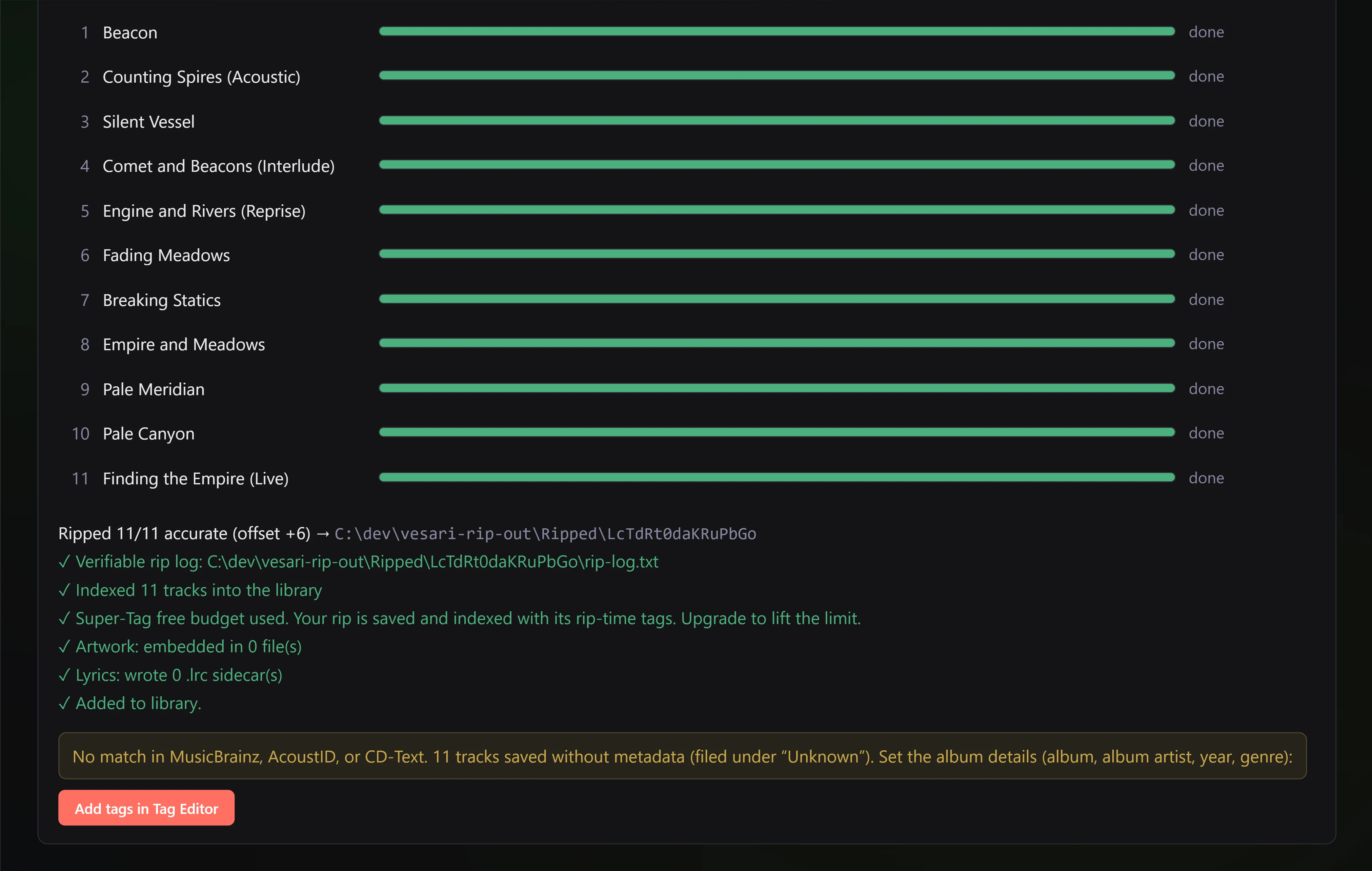
What the log tells you
The rip log is your receipt. For each track it records how the read went, so you never have to just trust that "it worked":
- Which tracks read cleanly - a track that read without trouble is marked accurate.
- Checksums - a short fingerprint calculated from the actual audio. Two identical rips of the same disc produce the same checksum, so it's a reliable way to confirm a read.
- Checksums you can check elsewhere - the checksums above are standard, so you can compare them against a shared database of other people's rips (such as the CueTools database) yourself. Vesari does look your disc up in that database when you insert it, and shows a confidence figure on the disc panel - but that lookup is about the DISC, not about your rip: it happens before a sector is read and keys on the disc's layout. The app does not compare your ripped audio against that database, and the rip log does not claim it has.
- The read offset, the disc identifiers, and any track ISRCs.
Because the log is a plain, standard-style report, you can keep it or check it yourself - it isn't a number the app just asserts.
Secure vs. Burst
The mode you pick changes how thoroughly Vesari reads:
- Secure reads each track at least twice and recovers from read errors, then reports how many tracks it confirmed accurate (for example, "10/10 accurate"). It's slower - roughly twice the time - and it's the mode to choose when you want confidence in the result.
- Burst does one fast pass and leans on the community cross-check above rather than re-reading. It's quicker, and best for discs in good condition that the database already recognises.
The "unverified" badge
Sometimes a track finishes with a small unverified mark next to it. This is honesty, not a fault.
It means the track was saved and plays normally, but Vesari couldn't confirm it was captured bit-for-bit - either the read didn't line up with the community cross-check, or a patch of the disc was unreadable. The most common cause is physical damage, often right at the very end of a disc (the run-out), where a few unreadable moments are filled with silence so the track still completes. The audio you'll actually hear is intact; only that small unconfirmed portion couldn't be double-checked.
We could have hidden this and shown every rip as "perfect." We'd rather tell you the truth: a clean read is confirmed, and anything we couldn't confirm is labelled plainly.
What to do about an unverified track
Nothing is required - the track is in your library and will play. If you want to try for a fully confirmed copy:
- Give the disc a gentle clean and check for scratches, especially near the outer edge.
- Re-rip in Secure mode, which re-reads and recovers errors.
- If it still comes back unverified, the disc likely has permanent damage in that spot. Your saved copy is the best that disc can give - keep it, and it'll play fine.
A verified rip is the ideal. An unverified one is simply an honest note that one small part couldn't be double-checked.
Related: Channel separation · Output meters.