Help / CD ripping
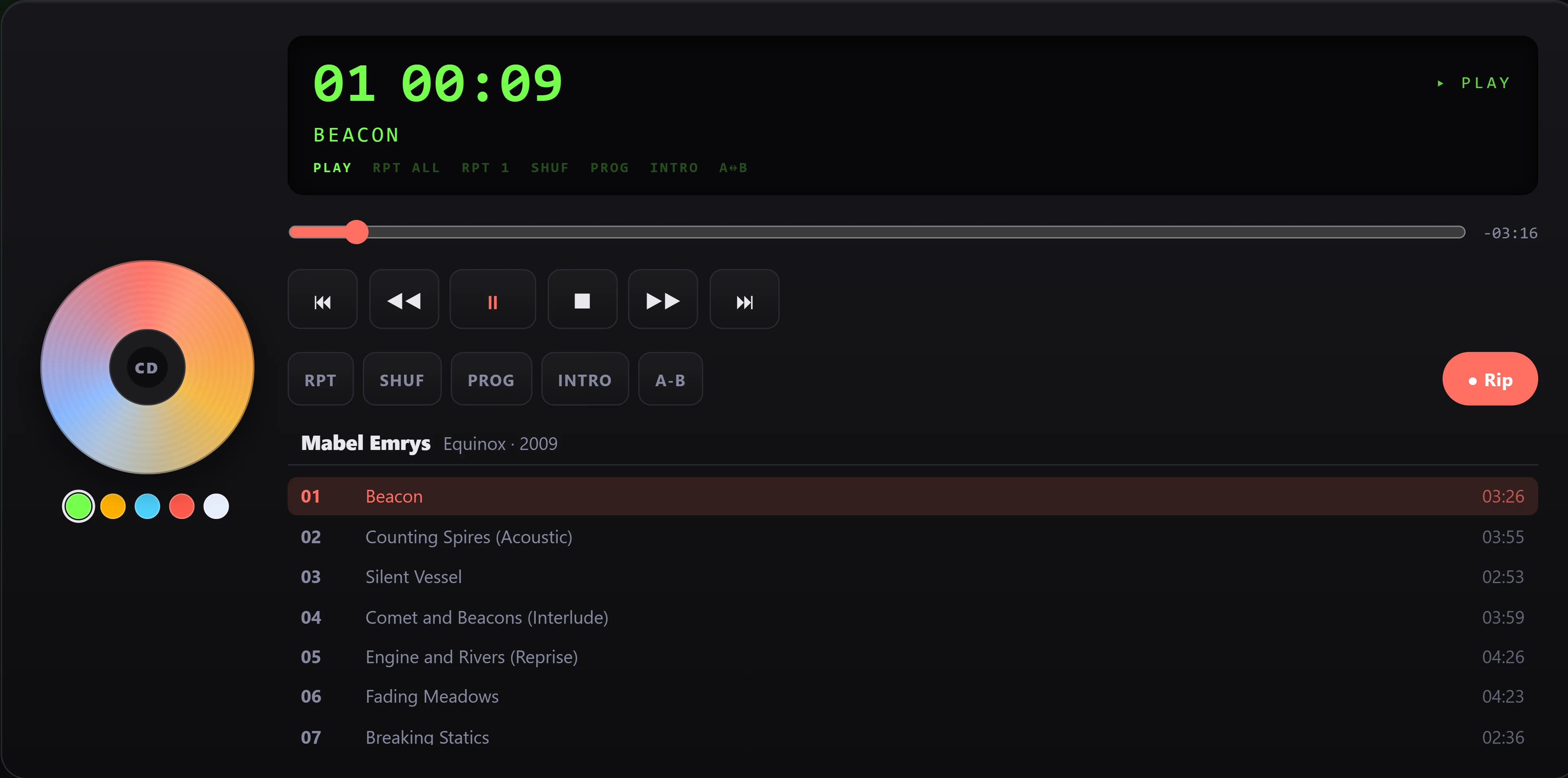
Play a CD straight from the drive
You can drop a disc in and listen right away, without ripping it first - the CD deck plays your tracks live off the disc, like a classic hi-fi CD player.
Play a disc without ripping
- Put a CD in your drive. The deck reads the disc and shows the album, artist, and a numbered track list.
- Press play, or click any track in the list to jump straight to it.
- Use the transport controls to move around: previous and next, scan back and forward, stop, and a seek bar to scrub within a track.
Because the deck plays directly from the disc, there's a short pause - usually about a second or two - when you start a track or jump to a new one, while the drive reads that part of the disc. This is normal. Once it starts, it plays through smoothly.
What the deck can do
The CD deck is a full retro player, not just a play button:
- Track list with the album, artist, and each track's length.
- Repeat (whole disc or a single track), shuffle, and an intro scan that plays a short taste of each track.
- Program a custom running order by tapping tracks in the sequence you want.
- A-B repeat to loop a section between two points you set.
- Display themes - recolour the readout to your taste, with five retro colours to pick from.
Playing from disc vs. ripping - what's the difference
These are two different things, and it's worth knowing which you want:
- Play from disc is transient. Nothing is saved. The music plays live from the CD while it spins, and when you take the disc out, there's nothing left on your computer. It's perfect for a quick listen.
- Ripping saves the disc to your library as proper audio files you keep - tagged, searchable, and playable any time without the CD. Ripping is the way to add an album to your collection.
If you just want to hear an album once, play it from the disc. If you want to keep it, rip it instead - there's a rip option right on the deck.
A couple of things to know
- The disc needs to stay in the drive the whole time you're listening, since the audio is coming straight off it.
- If you start ripping the disc, the rip takes over the drive for a moment - that's expected, and playback picks back up once it's free.