Help / Your library
Super-Tag - automatic tagging and artwork
Super-Tag fills in the missing titles, artists, album names and cover art across your library by identifying each recording from the sound itself - not from whatever the file happens to be named.
What it does
Some of your music arrives with clean, complete tags. A lot of it doesn't - a folder of files called "Track 01", "Track 02", an album with no cover, a blank artist field. Super-Tag closes those gaps.
For each track it builds an acoustic fingerprint of the audio, then matches that fingerprint against online music databases to work out what the recording is. Once it has a confident match, it writes back the correct title, artist, album and other details and pulls in the album artwork. Because it listens to the sound rather than reading the filename, it can identify a track even when the existing tags are wrong, scrambled or missing entirely.
How to run it
You'll find Super-Tag alongside your other library tools.
- Select the tracks or albums you want to tidy up - or point it at your whole library for a full sweep.
- Start Super-Tag. It fingerprints each track and looks up the best match.
- Watch it run. The tags are written to each file as its match comes back, and the panel lists what was tagged and what was skipped. Stop ends the run and keeps what it has already written. Cover art is fetched afterwards in the background, so artwork can arrive a little after the run reads Done.
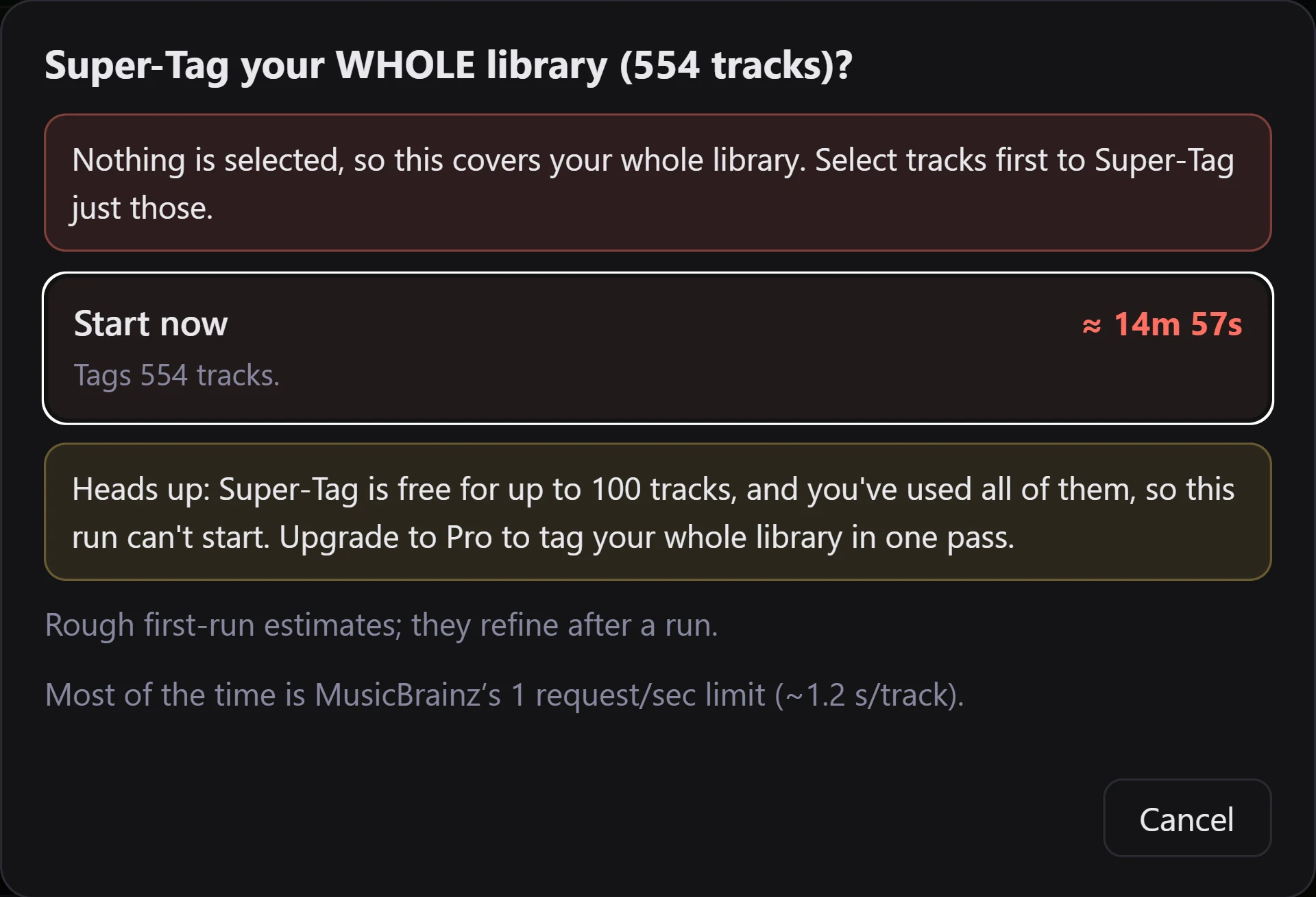
You stay in control at the prompt rather than after the run: it names what the run covers before anything is written, and a run started from Start now or Tag what's missing leaves tracks that already have a match untouched. Re-tag everything is the choice that matches them again. Tags you typed in yourself are never overwritten, whichever you pick.
Where the information comes from
Super-Tag draws on well-established community music databases (MusicBrainz and the AcoustID fingerprint index). These are free for everyone and cover the vast majority of commercially released music.
On the top tier, Super-Tag can also match against Discogs, which is especially good for pinning down the exact edition - the specific pressing, reissue or regional release - when that level of detail matters to you.
What's free and what's capped
Playing your music and editing tags one track at a time are always free. Super-Tag itself is one of the power tools, with a free taste built in: a one-time allowance of 100 tracks in total, enough to run it on a real slice of your collection and see exactly how it works. Every Super-Tag run draws on that same allowance - including freshly ripped or newly added tracks. Once you've used it, Pro removes the limit for your whole library.
The prompt works this out before it starts. With some allowance left, it says the run will stop once the allowance is used and leave the rest untagged for a later run. With none left, it says the run cannot start. Either way nothing you have already tagged is affected, and tracks that already have a match are skipped without spending any of it.
Obscure and unreleased music
Super-Tag is only as good as the databases behind it. For mainstream commercial recordings, matches are usually quick and accurate. For genuinely obscure pressings, bootlegs, private recordings or music that was never formally released, there may be no match at all - the recording simply isn't in the databases yet.
When that happens, Super-Tag leaves the track untouched rather than guess and mis-tag it. You can still fill those in yourself with the tag editor. This is expected, not a fault - some of your rarest music will always need a human touch.