Help / Getting started
From a messy folder to a clean library
Point Vesari Stylus at your music folder and it does the heavy lifting - a pile of loose files becomes a browsable, good-looking library, with just a few taps from you to finish the job.
What happens the moment you scan
Add a folder and the scan reads what's already inside your files, so most of your library fills itself in:
- Tags you already have - artist, album, title, track number, year and genre are read straight from the files and used to organise everything.
- Artwork - cover art embedded in a file, or a cover image sitting in the same folder, shows up automatically.
- Format labels - each track is labelled with its format, so you can see at a glance what's FLAC, MP3, AAC, WAV and so on, and which files are lossless.
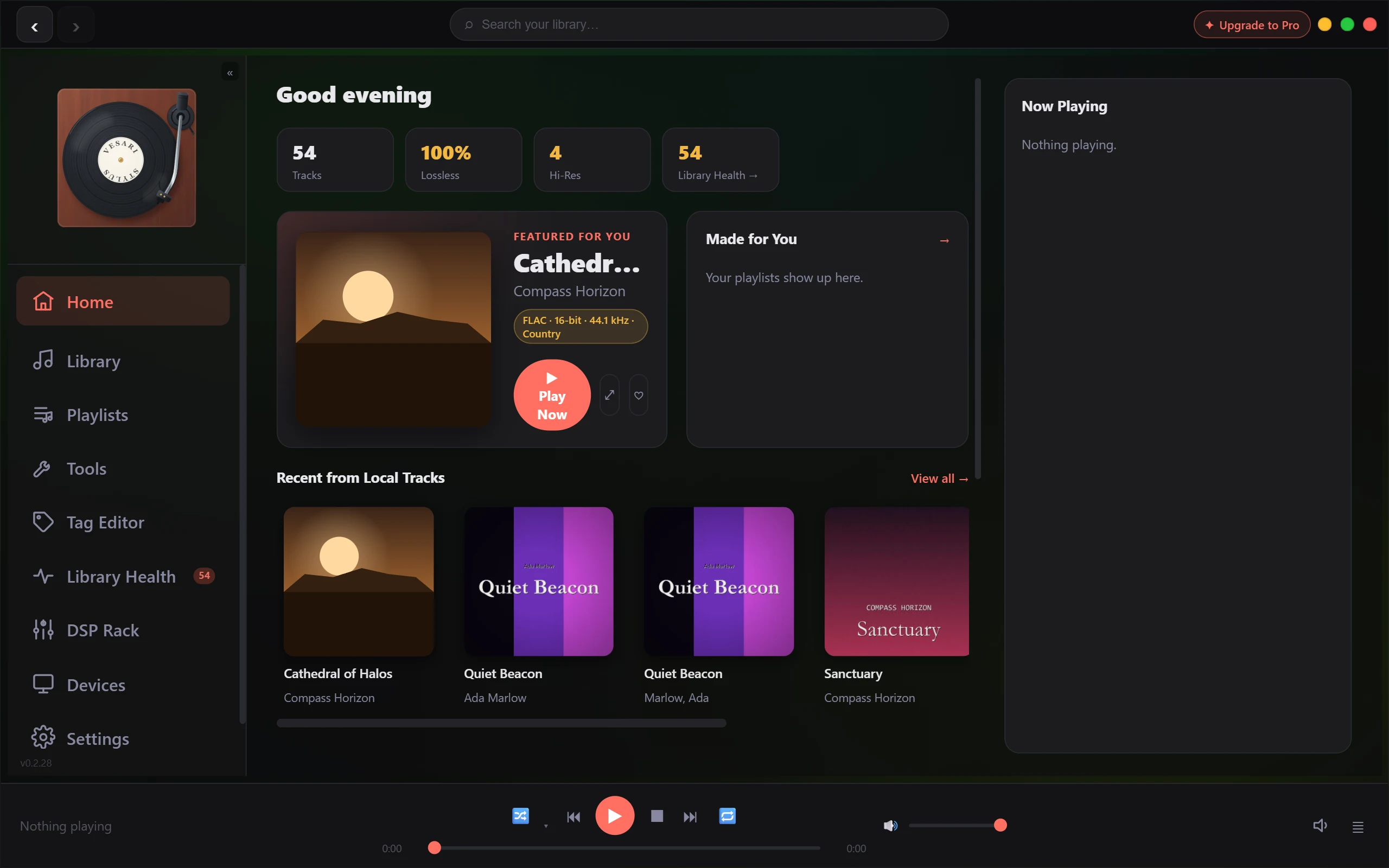
For a well-tagged collection, that's often the whole story - you scan, and you're done.
What needs a small nudge
Older or hand-ripped folders are rarely perfect. When something's missing, the app points you to the fix instead of leaving you to hunt:
- Missing or wrong tags, or missing artwork? Run Super-Tag. It identifies your tracks - even by their audio fingerprint when the tags are blank - then fills in clean, consistent details and pulls matching cover art for you.
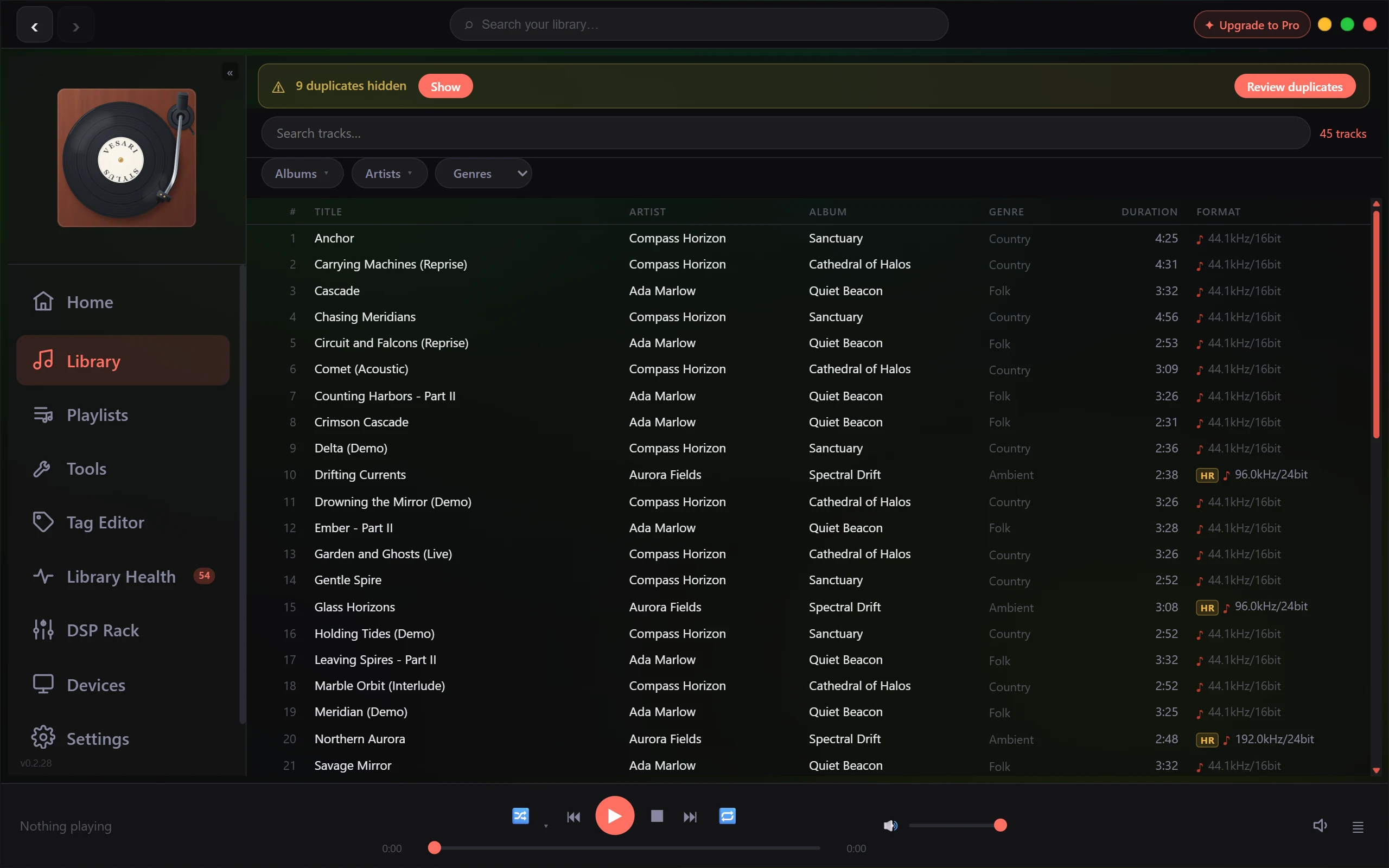
- Duplicates and other issues? Open Library Health. It scans for problems and tidies duplicate copies, keeping the highest-quality version of each track.
Your first fifteen minutes
- Add your music folder and let the scan run. Watch tags and artwork populate.
- Browse what landed - most albums will already look right.
- Spot the gaps - anything with a blank cover or odd names.
- Run Super-Tag on the albums with missing or messy tags to fix details and artwork together.
- Open Library Health to tidy duplicates and flagged issues.
That's usually enough to turn a chaotic folder into something you're happy to scroll through.
A note on the power tools
Super-Tag and Library Health are the heavy lifters. The Free version lets you try both on your own library so you can see what they do, with a limit on how much you can run in one go. Pro lifts that limit and lets you tag and tidy your whole collection in bulk.
Playback itself is never limited - Free plays your entire library, in full quality, for as long as you like.