Help / DSP Rack
The graphic EQ & presets
The graphic equalizer is the quick, everyday way to shape your sound - ten sliders you nudge until a track sits right, with ready-made presets to start from.
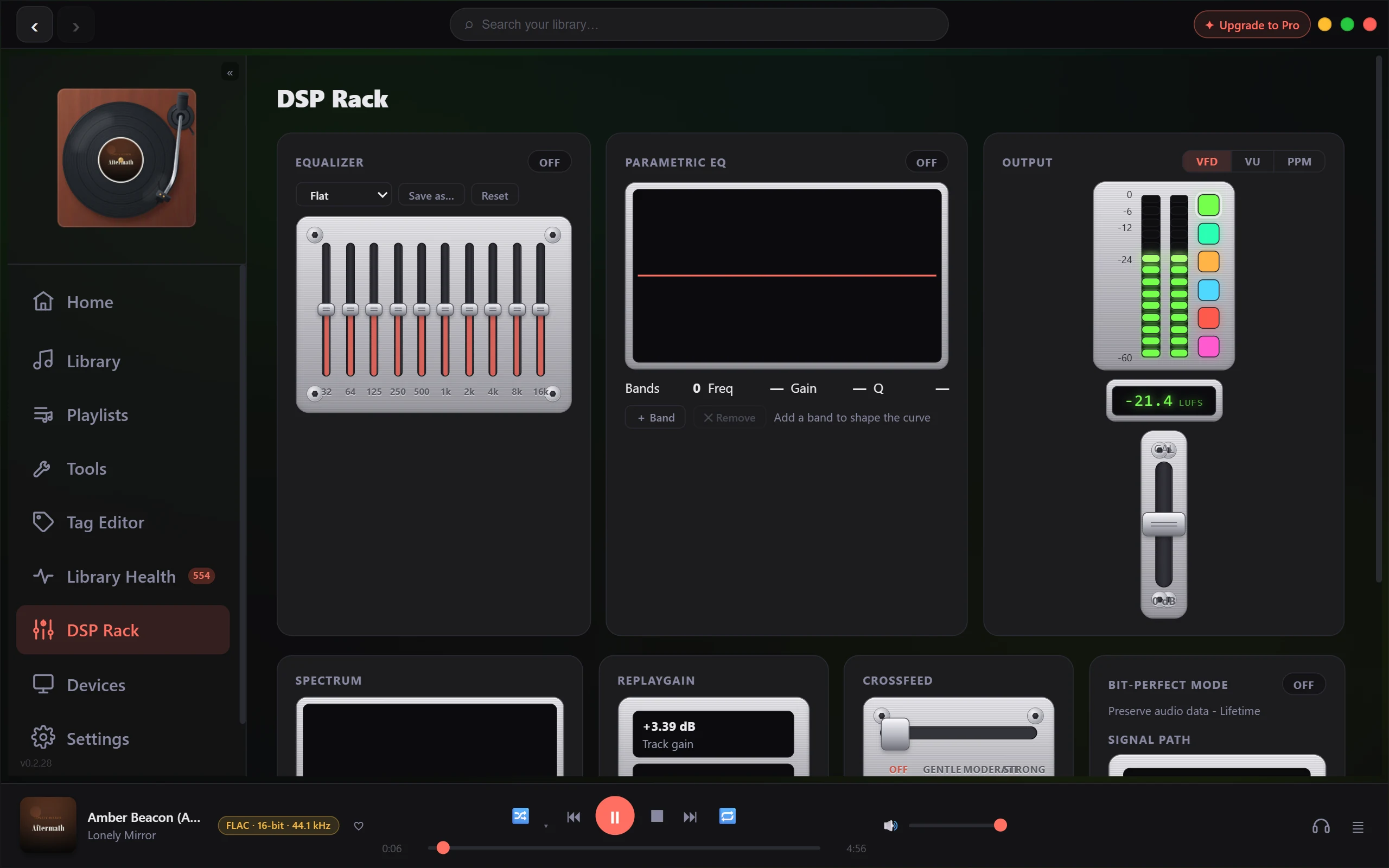
You'll find it in the DSP Rack. Turn it on, move a few sliders (or pick a preset), and every track you play takes on that tone in real time.
What it does
The graphic EQ splits the sound into ten frequency bands, from deep bass on the left to sparkle on the right (roughly 31 Hz up to 16 kHz). Each band has a slider you push up to boost that part of the sound or pull down to cut it, by up to 12 dB either way. It's the broad-brush tool: "a bit more bass," "less harshness up top," "warmer vocals." For pinpoint fixes at one exact frequency, that's the job of the separate parametric EQ - the graphic EQ is the simple one you'll reach for most.
Shape your sound
- Switch the Equalizer on (the toggle next to its title).
- Drag any slider up to add that frequency, or down to reduce it. Low bands are bass, the middle is where voices and most instruments live, the high bands are treble and "air."
- Listen as you go - the change applies to whatever's playing straight away. Small moves of a few dB do a lot.
As soon as you move a slider by hand, the preset picker switches to Custom, so you know you're on your own settings.
Start from a preset
If you'd rather not build a curve from scratch, open the preset picker at the top of the panel and choose one - there are shaped starting points like Rock, Pop, Jazz, Classical, Vocal, Bass Boost and more. Picking one drops all ten sliders into place at once. You can then tweak individual sliders from there to taste.
Reset to flat
Press Reset to return every band to the centre (0 dB) - a clean, flat starting point with no EQ colour at all. You can also choose the Flat preset for the same result.
A note on boosting: cut, don't just boost
Pushing sliders up adds level, and stacking several big boosts can push a track past full scale, where it starts to clip and sound harsh. The safest habit is to keep boosts modest - a few dB usually does what you want.
Better still, cut instead of boost. If a track feels bass-light, try pulling the treble down a touch rather than shoving the bass all the way up - you get the same tonal balance with more headroom and a cleaner result. As a rule of thumb, cuts tend to sound more natural than boosts, and a few dB goes a long way.
The graphic EQ and its presets are included free.